TeleDrive

A cloud drive, kept in your own Telegram.

TeleDrive backs up and organises your files in a private channel on your Telegram account. There is no TeleDrive server, no account to create with us, and encryption is one switch away.

Free and open source Apache 2.0

The route a file takes

  1. On your device

    Photos, chosen folders, or anything you send from the share sheet.

    IMG_4127.MOV
  2. Sealed, if you like

    AES-256-GCM over the bytes, the name, the caption and the folder tree.

    optional
  3. Split past the cap

    Anything larger than one Telegram message allows goes up as parts.

    no size limit
  4. Your private channel

    It lives on your account. Captions carry the manifest that rebuilds the drive.

    you own it
  5. Back on any device

    Android, Windows, Linux and macOS all browse the same drive.

    one drive

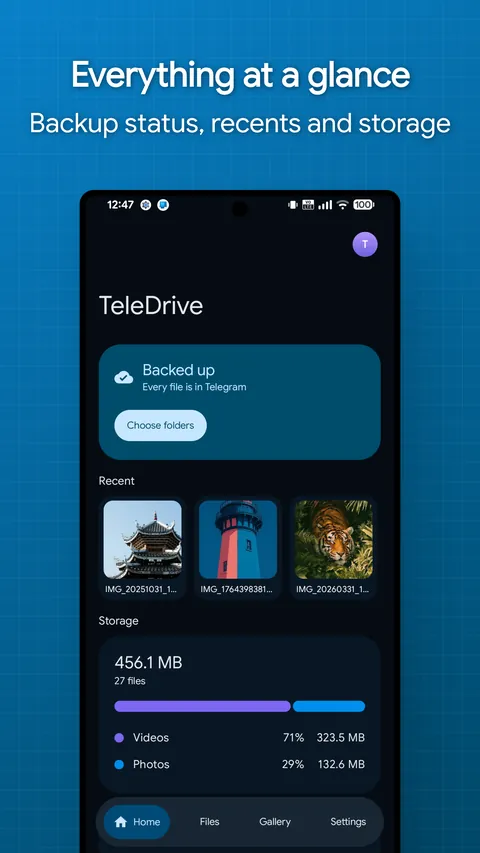
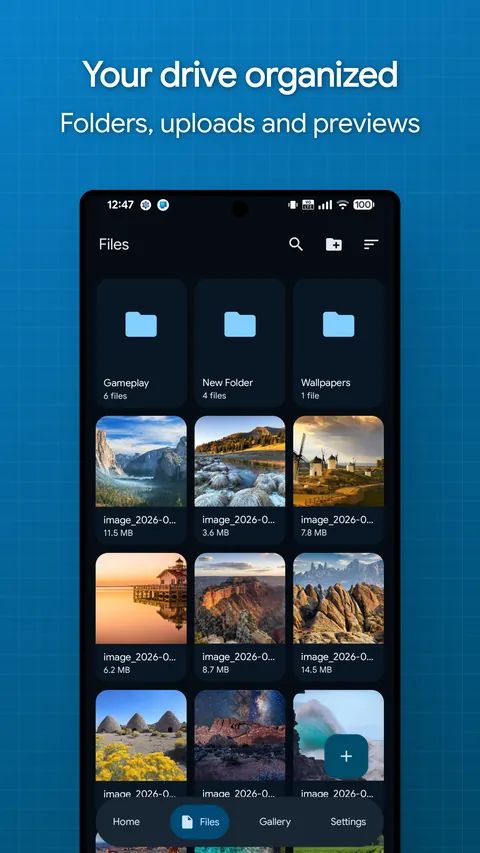
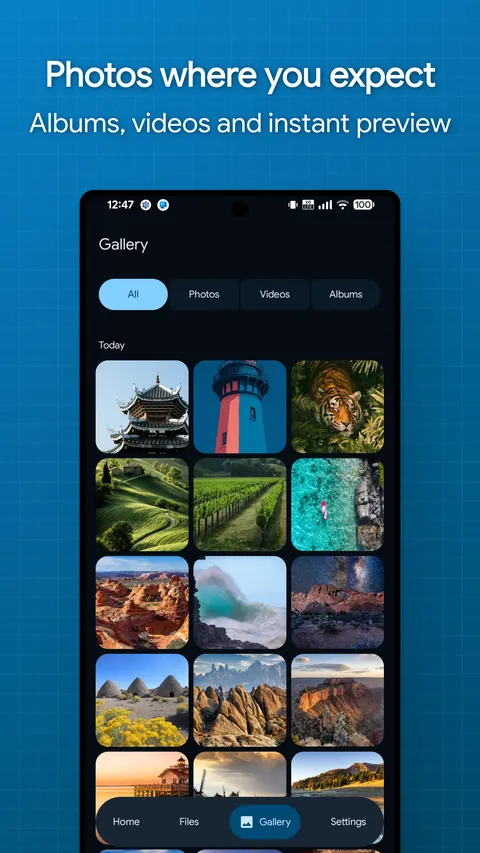
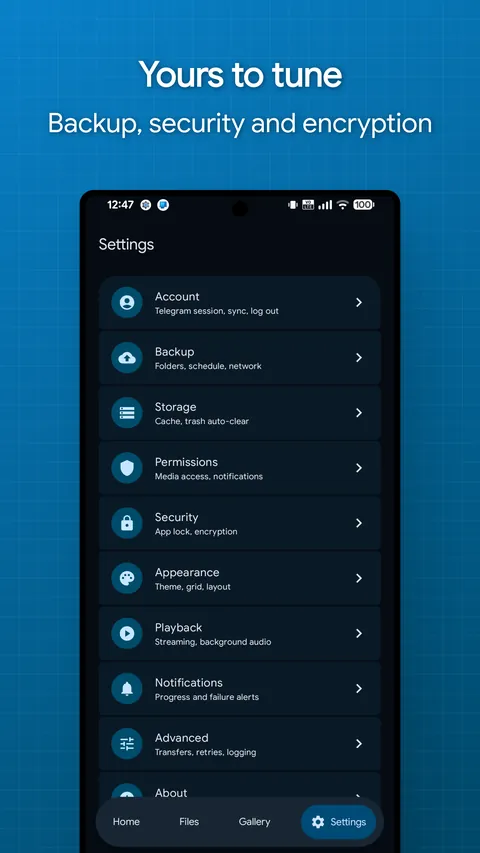
Four tabs, one drive.

Home, Files, Gallery and Settings. The phone and desktop apps share one interface, so nothing moves when you switch.

Everything a drive should do.

Backup, browsing, playback and sharing, running on storage you already have.

No file size limit

A 20 GB video is one file in the app, whatever Telegram caps a single message at. TeleDrive stores the parts and puts them back together.

Automatic backup
Photos and chosen folders upload on their own on Android, with schedules, Wi-Fi and charging rules, and exclusion patterns.
Streaming
Video and audio play straight from Telegram with seeking, encrypted files included.
Inline previews
Images, PDFs, text and the contents of ZIP files open without a download.
Real file management
Folders, favorites, hidden and archived items, trash and bulk actions.
Several drives
Separate channels for personal, work or photos, all on one account.
Share sheet
Send files in from any Android app. Identical bytes are never uploaded twice.
Transfers that survive
A parallel queue with pause and resume that carries on after a reboot.
Bring files you already have
Forward documents from any chat into your drive channel. Telegram copies them server side, so nothing downloads again.

What a stranger would see.

With encryption on, someone reading your channel without your key learns the file count, the sizes and the timestamps. Nothing else.

The recovery passphrase has no reset path. That is the point, so set a hint when you create it and keep the passphrase out of the hint.

On device
The app and Telegram databases are sealed with a random key wrapped by the platform: Android Keystore, Windows DPAPI, or a local key file on Linux and macOS. Thumbnails and caches are encrypted by default.
In Telegram
Only sealed bytes, random file names, encrypted captions and an encrypted folder tree.
Key custody
Content keys are random, wrapped by the platform master key, and never leave the device unwrapped.
Recovery
The content key is backed up to your channel, sealed with your passphrase (PBKDF2, 310k iterations). Restore it on a new device and everything unlocks.

Get TeleDrive.

Latest release
Downloads, all releases
GitHub stars

Desktop

  • WindowsYour system

    Windows 10 or newer, 64-bit

    Installer

    downloads

    Download
  • macOSYour system

    Apple Silicon

    Disk image

    downloads

    Download
  • LinuxYour system

    Ubuntu, x86_64

    Debian package

    downloads

    Download

Changelogs and every past build live on the releases page. Prefer to build it yourself? The README has the steps.

Running in four steps.

You need a Telegram account and a pair of API credentials, which Telegram hands out for free.

  1. Get your API credentials

    Sign in at my.telegram.org, open API development tools and create an app. Any name works. Keep the api_id and api_hash it shows.

  2. Enter them in TeleDrive

    They are stored encrypted on the device, never logged, and only ever sent to Telegram. Because they are yours, nobody else's rate limit can touch you.

  3. Sign in

    Use your phone number and login code, or a QR code. With Telegram on the same device, one tap on Confirm in Telegram does it.

  4. Choose what to back up

    Pick folders, and turn on Encrypt uploads with a recovery passphrase if you want the channel sealed.

Before you install.

Does Telegram limit how much I can store?

Telegram does not cap the total size of a channel. Single messages have a size cap, and TeleDrive works around it by storing a large file as several messages. Opened in the Telegram app, such a file shows as parts; only TeleDrive puts it back together.

Can Telegram read my files?

Without encryption, your files sit in your private channel like any other upload. With Encrypt uploads on, the channel only holds sealed bytes, random names, encrypted captions and an encrypted folder tree.

What happens if I lose my phone?

Install TeleDrive on another device, sign in, enter your recovery passphrase and the whole drive is back, folders and all.

Why do I need my own API ID?

Shared credentials pool everyone's usage together, so one heavy user can get the whole app rate limited. Your own pair keeps your traffic separate, and it is never bundled into the app or sent anywhere except Telegram.

Can I stream without downloading first?

Yes. Video and audio play as they arrive and you can seek freely. Streaming checks the frames it plays; a full download verifies every byte, so use that when integrity matters more than starting fast.

Is TeleDrive made by Telegram?

No. It is an independent open source project built on TDLib, Telegram's official client library, and it is not affiliated with or endorsed by Telegram.